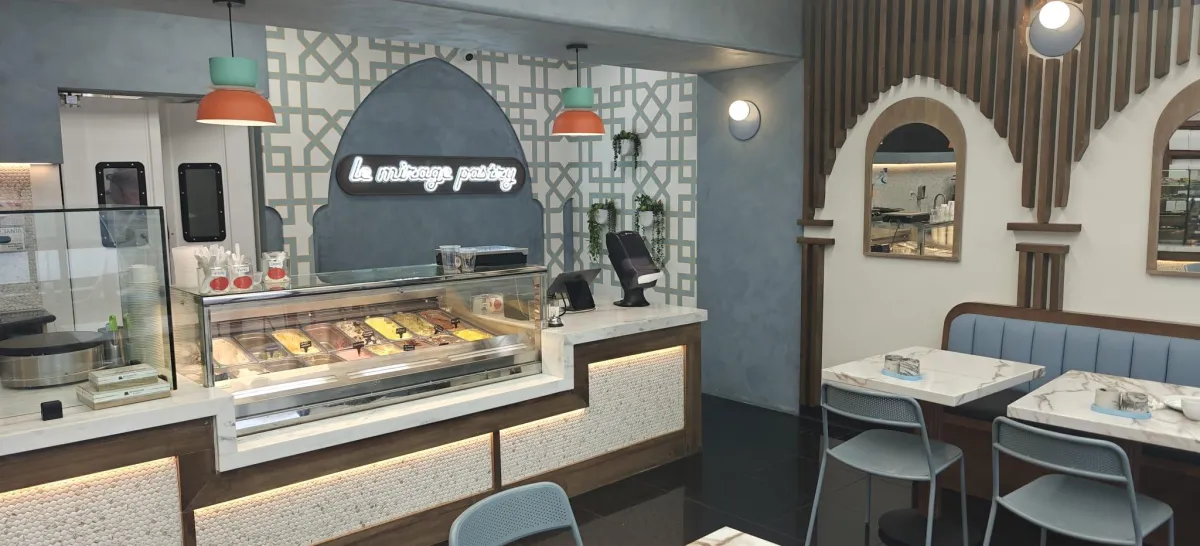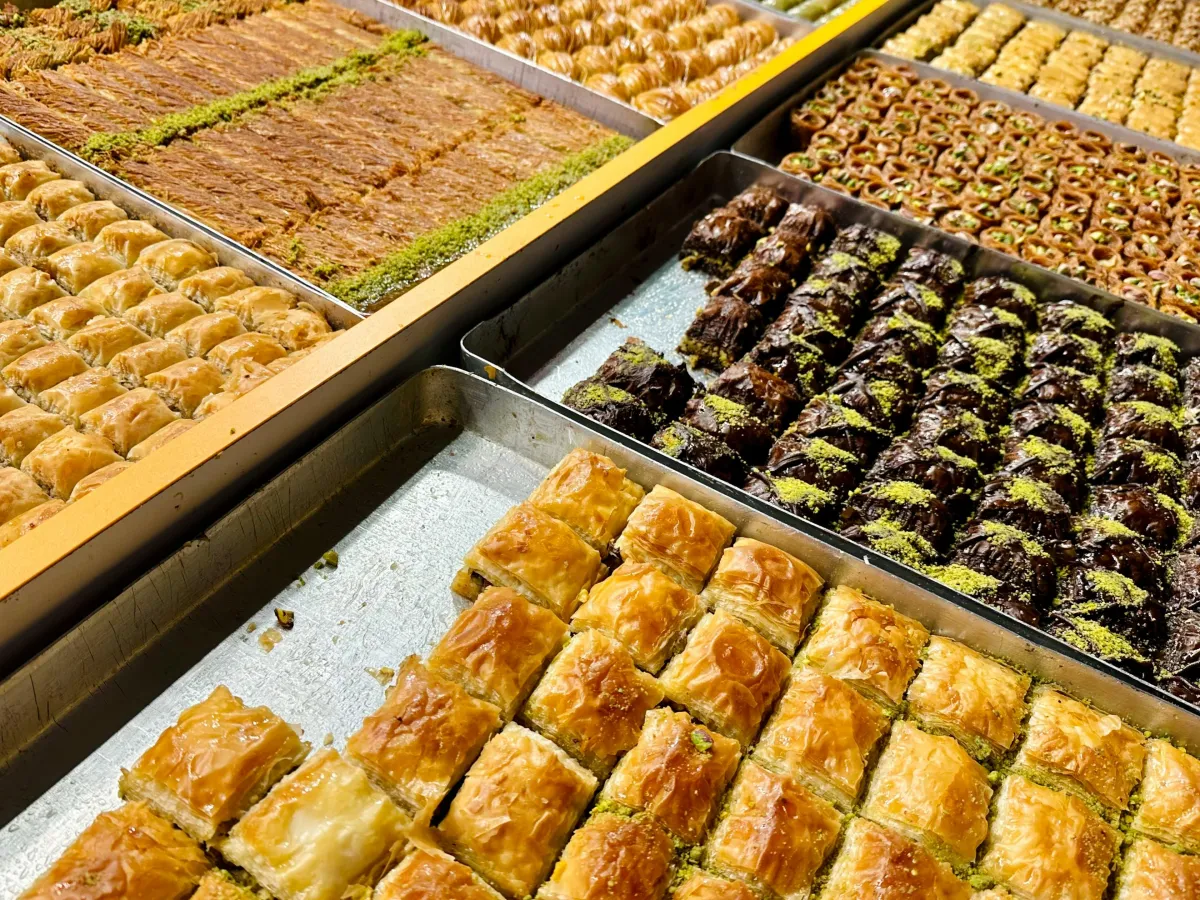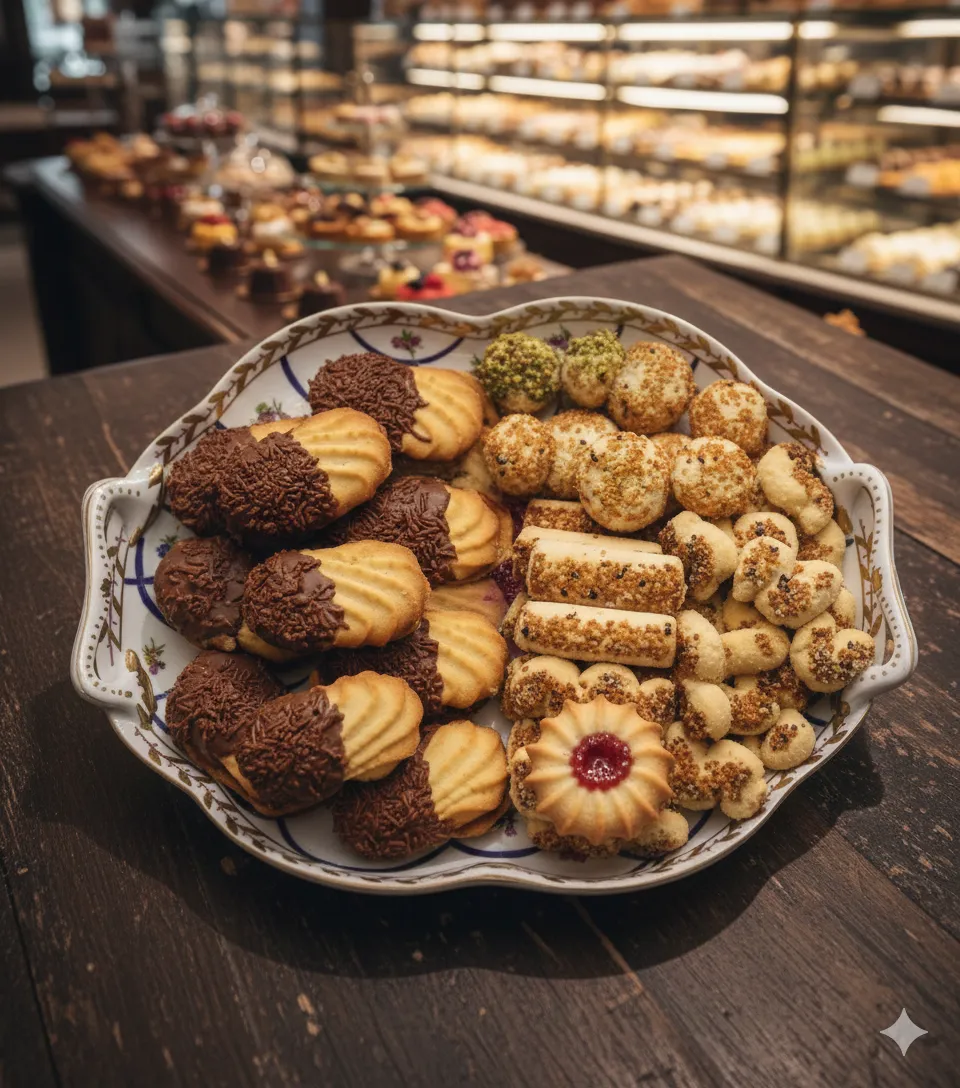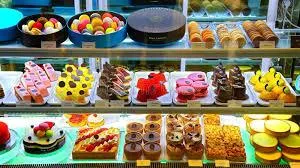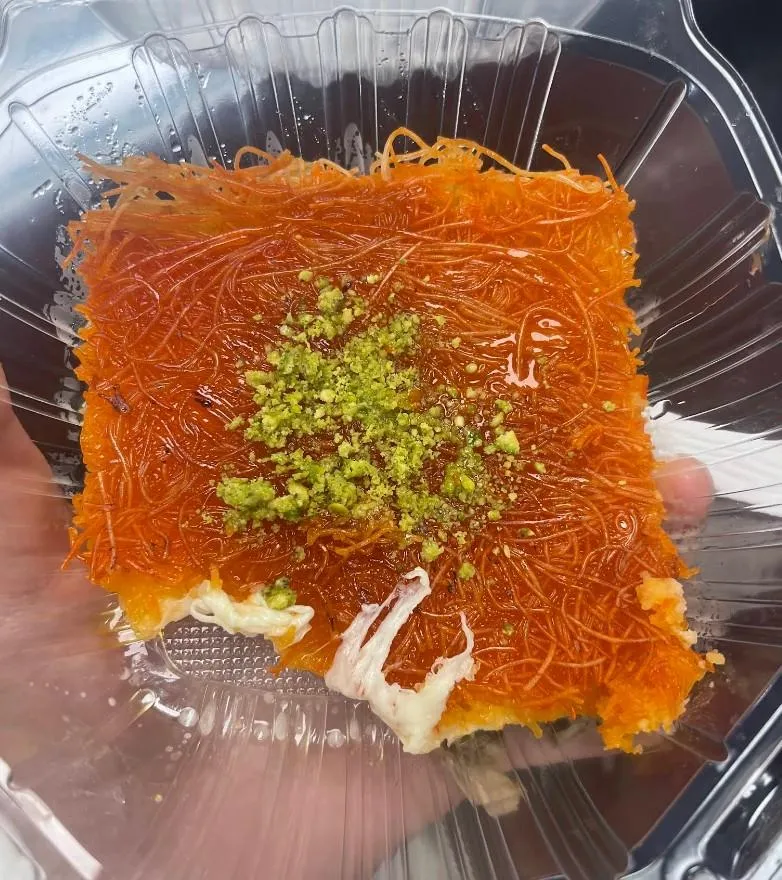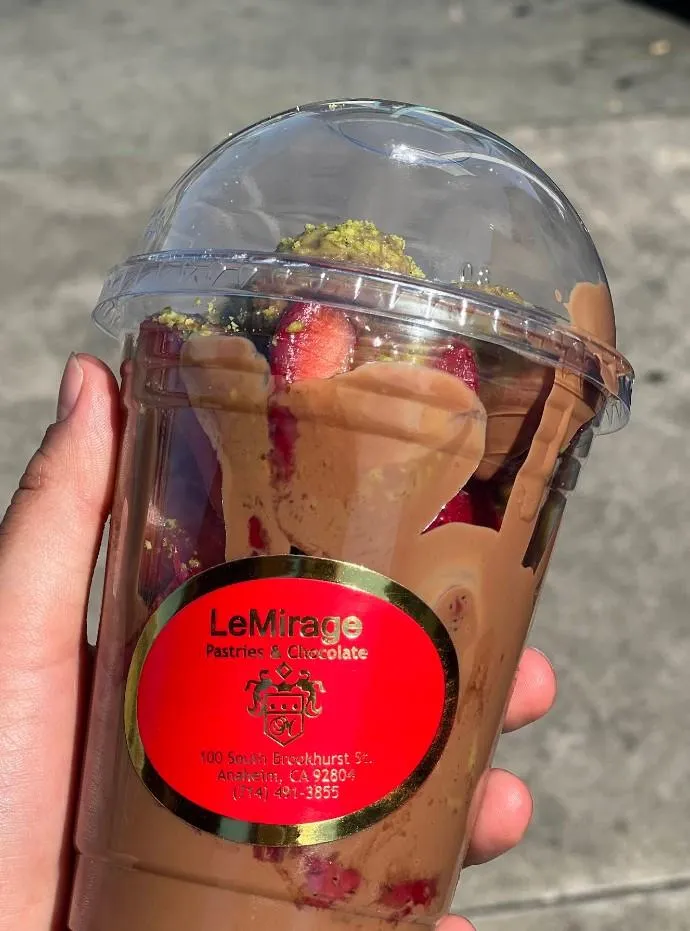

Le Mirage Pastry has been in business for over 20 years. Providing Pastry, Cakes and Middle Eastern sweet to the local community around the Anaheim, California area. As per the current e-Commerce situation and with the need to expansion to reach more markets and customer, it is time to go online and to permit customer worldwide to place purchase products and to expand the business.
Maher Nakhal, who imported the kind of ice-cream machine used in the historic parlor Bakdash, in Damascus, said, “I wanted to bring my childhood back to the United States.”
Maher Nakhal
Bakdash, the most celebrated ice-cream parlor in the Middle East, is a hundred-and-thirty-eight-year-old shop located in the al-Hamidiyah Souk, an Ottoman-era marketplace in Damascus’s Old City. Men in butcher caps, white gloves, and coats staff the long, narrow space, serving customers who over the decades have included King Faisal, of Iraq; Tony Blair; and Lawrence of Arabia. But the real spectacle is toward the back of the store, where younger men in tight white T-shirts stand behind chilled buckets wielding giant wooden pestles. They rhythmically pound what’s inside: bouza, an ice cream made with mastic, a tree resin that’s the key component of chewing gum, and sahleb, a flour derived from orchid roots. Those two ingredients, and the vigorous beating, give bouza its distinctive consistency of cold, stretchy taffy.
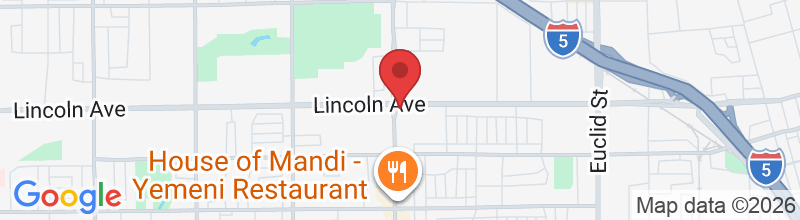
Maher Nakhal, who runs a bakery called Le Mirage Pastry, in Anaheim, California, grew up in Damascus eating at Bakdash once a week, a promised treat at the end of days spent shopping with his family. The fifty-five-year-old has been a baker since his late teens, and came to the United States in 1992 at the invitation of his sister. In 2003, he opened his bakery, at the north end of Anaheim’s Little Arabia district. More than twenty-five thousand people, primarily of Syrian, Lebanese, Palestinian, and Egyptian descent, live around a four-mile stretch of the district’s main thoroughfare, Brookhurst Street, making it one of the largest Middle Eastern enclaves in the United States. Hookah lounges, mosques, kebab houses, and Arab grocery stores occupy shopping plazas that also host tattoo parlors, smoke shops, and car alarm stores. “There were a lot of Arabs when I opened, and there’s even more now,” Nakhal, who has blue eyes, a sturdy mustache, and the affability of a favorite uncle, said on a recent weekday morning. “This can be the next Dearborn, Michigan.”
Around five years ago, just before the Syrian civil war escalated, Nakhal travelled to Damascus to visit his family. The neighborhood around Bakdash, which contains national treasures like the Mausoleum of Saladin and the Umayyad Mosque, has seen little violence during the country’s conflict (although its owners opened a satellite shop in Amman some years ago to serve the half-million Syrians who have fled to neighboring Jordan). Soon after Nakhal returned to the U.S., an influx of refugees reached Anaheim, and Nakhal had the idea to serve bouza in his shop. He ordered a machine over the phone from the Syrian manufacturer who makes Bakdash’s models; with shipping costs and tariffs, it cost him around twelve thousand dollars. “I wanted to bring my childhood back to the United States,” he said.
The contraption looks like a taco cart—wheeled, rectangular, waist-high—with a compressor and a freezer instead of a gas tank, and a built-in steel tub that chills the ice cream to forty degrees below zero. Nakhal commissioned a handcrafted brass bas-relief to decorate its sides; it features a man who stands behind a similar machine as he holds a pestle almost as large as he is. Above the man, in Arabic, are the words “Arabic Ice Cream.” Other than these custom details, there’s nothing particularly unique about Bakdash’s bouza machine; Alibaba lists similar models (complete with a fake Bakdash logo and the wrong year of its founding) for under a thousand dollars. But Nakhal insists that he needed an authentic model in order to make bouza right. When I visited his bakery on a recent morning, as he and his brother Humam prepped a new batch, Nakhal told me, “If I want to do something, I do it the proper way—no monkey business.”
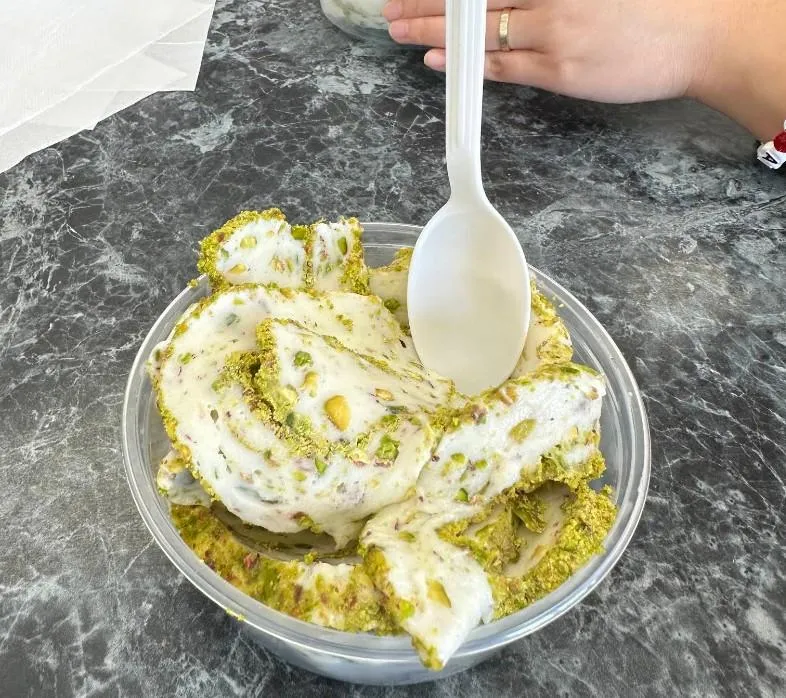
To make the bouza, Humam first took a canteen of batter (known as sahlab in its liquid state) and ladled it continuously along the sides of the frosty tub for about fifteen minutes, until the walls were completely coated. Once it had congealed, he scraped the sahlab into a slab the size of a telephone book. “Now comes the work,” he said with a smile, as he grabbed a yard-long pestle made from walnut wood. Humam is tall and slender, but with arms like a welterweight. He smashed the bouza for about three minutes, with the force of someone trying to crush rocks. Humam flipped the bouza slab and Maher sprinkled Turkish pistachios (“best in the world”) into the tub as his brother began to pound again. “I’ve eaten it in the United States from regular ice-cream machines,” Maher said. “It’s not good. It tastes flat, and it’s no longer doughy.”
After about ten minutes, Maher rolled up the finished bouza. It looked like a cheese log with the girth of a baseball bat. He sliced off chunks into two ice-cream glasses, splashed them with rosewater, and handed the glasses to me and my friend Rida Hamida. Hamida, a staffer for the California assemblywoman Cristina Garcia, is the daughter of Palestinian immigrants. After Trump’s election, she teamed up with a Mexican-American friend to promote Latino-Muslim unity by organizing culinary tours of Little Arabia and stationing halal taco trucks outside of mosques.
Accessibility
Accessibility modes
Epilepsy Safe Mode
Dampens color and removes blinks
This mode enables people with epilepsy to use the website safely by eliminating the risk of seizures that result from flashing or blinking animations and risky color combinations.
Visually Impaired Mode
Improves website's visuals
This mode adjusts the website for the convenience of users with visual impairments such as Degrading Eyesight, Tunnel Vision, Cataract, Glaucoma, and others.
Cognitive Disability Mode
Helps to focus on specific content
This mode provides different assistive options to help users with cognitive impairments such as Dyslexia, Autism, CVA, and others, to focus on the essential elements of the website more easily.
ADHD Friendly Mode
Reduces distractions and improve focus
This mode helps users with ADHD and Neurodevelopmental disorders to read, browse, and focus on the main website elements more easily while significantly reducing distractions.
Blindness Mode
Allows using the site with your screen-reader
This mode configures the website to be compatible with screen-readers such as JAWS, NVDA, VoiceOver, and TalkBack. A screen-reader is software for blind users that is installed on a computer and smartphone, and websites must be compatible with it.
Online Dictionary
Readable Experience
Content Scaling
Default
Text Magnifier
Readable Font
Dyslexia Friendly
Highlight Titles
Highlight Links
Font Sizing
Default
Line Height
Default
Letter Spacing
Default
Left Aligned
Center Aligned
Right Aligned
Visually Pleasing Experience
Dark Contrast
Light Contrast
Monochrome
High Contrast
High Saturation
Low Saturation
Adjust Text Colors
Adjust Title Colors
Adjust Background Colors
Easy Orientation
Mute Sounds
Hide Images
Virtual Keyboard
Reading Guide
Stop Animations
Reading Mask
Highlight Hover
Highlight Focus
Big Dark Cursor
Big Light Cursor
Cognitive Reading
Navigation Keys
Voice Navigation
LeMirage Pastry
Accessibility Statement
lemiragepastry.com
December 4, 2025
Compliance status
We firmly believe that the internet should be available and accessible to anyone, and are committed to providing a website that is accessible to the widest possible audience,
regardless of circumstance and ability.
To fulfill this, we aim to adhere as strictly as possible to the World Wide Web Consortium’s (W3C) Web Content Accessibility Guidelines 2.1 (WCAG 2.1) at the AA level.
These guidelines explain how to make web content accessible to people with a wide array of disabilities. Complying with those guidelines helps us ensure that the website is accessible
to all people: blind people, people with motor impairments, visual impairment, cognitive disabilities, and more.
This website utilizes various technologies that are meant to make it as accessible as possible at all times. We utilize an accessibility interface that allows persons with specific
disabilities to adjust the website’s UI (user interface) and design it to their personal needs.
Additionally, the website utilizes an AI-based application that runs in the background and optimizes its accessibility level constantly. This application remediates the website’s HTML,
adapts Its functionality and behavior for screen-readers used by the blind users, and for keyboard functions used by individuals with motor impairments.
If you’ve found a malfunction or have ideas for improvement, we’ll be happy to hear from you. You can reach out to the website’s operators by using the following email
Screen-reader and keyboard navigation
Our website implements the ARIA attributes (Accessible Rich Internet Applications) technique, alongside various different behavioral changes, to ensure blind users visiting with
screen-readers are able to read, comprehend, and enjoy the website’s functions. As soon as a user with a screen-reader enters your site, they immediately receive
a prompt to enter the Screen-Reader Profile so they can browse and operate your site effectively. Here’s how our website covers some of the most important screen-reader requirements,
alongside console screenshots of code examples:
Screen-reader optimization: we run a background process that learns the website’s components from top to bottom, to ensure ongoing compliance even when updating the website.
In this process, we provide screen-readers with meaningful data using the ARIA set of attributes. For example, we provide accurate form labels;
descriptions for actionable icons (social media icons, search icons, cart icons, etc.); validation guidance for form inputs; element roles such as buttons, menus, modal dialogues (popups),
and others. Additionally, the background process scans all of the website’s images and provides an accurate and meaningful image-object-recognition-based description as an ALT (alternate text) tag
for images that are not described. It will also extract texts that are embedded within the image, using an OCR (optical character recognition) technology.
To turn on screen-reader adjustments at any time, users need only to press the Alt+1 keyboard combination. Screen-reader users also get automatic announcements to turn the Screen-reader mode on
as soon as they enter the website.
These adjustments are compatible with all popular screen readers, including JAWS and NVDA.
Keyboard navigation optimization: The background process also adjusts the website’s HTML, and adds various behaviors using JavaScript code to make the website operable by the keyboard. This includes the ability to navigate the website using the Tab and Shift+Tab keys, operate dropdowns with the arrow keys, close them with Esc, trigger buttons and links using the Enter key, navigate between radio and checkbox elements using the arrow keys, and fill them in with the Spacebar or Enter key.Additionally, keyboard users will find quick-navigation and content-skip menus, available at any time by clicking Alt+1, or as the first elements of the site while navigating with the keyboard. The background process also handles triggered popups by moving the keyboard focus towards them as soon as they appear, and not allow the focus drift outside of it.
Users can also use shortcuts such as “M” (menus), “H” (headings), “F” (forms), “B” (buttons), and “G” (graphics) to jump to specific elements.
Disability profiles supported in our website
Epilepsy Safe Mode: this profile enables people with epilepsy to use the website safely by eliminating the risk of seizures that result from flashing or blinking animations and risky color combinations.
Visually Impaired Mode: this mode adjusts the website for the convenience of users with visual impairments such as Degrading Eyesight, Tunnel Vision, Cataract, Glaucoma, and others.
Cognitive Disability Mode: this mode provides different assistive options to help users with cognitive impairments such as Dyslexia, Autism, CVA, and others, to focus on the essential elements of the website more easily.
ADHD Friendly Mode: this mode helps users with ADHD and Neurodevelopmental disorders to read, browse, and focus on the main website elements more easily while significantly reducing distractions.
Blindness Mode: this mode configures the website to be compatible with screen-readers such as JAWS, NVDA, VoiceOver, and TalkBack. A screen-reader is software for blind users that is installed on a computer and smartphone, and websites must be compatible with it.
Keyboard Navigation Profile (Motor-Impaired): this profile enables motor-impaired persons to operate the website using the keyboard Tab, Shift+Tab, and the Enter keys. Users can also use shortcuts such as “M” (menus), “H” (headings), “F” (forms), “B” (buttons), and “G” (graphics) to jump to specific elements.
Additional UI, design, and readability adjustments
Font adjustments – users, can increase and decrease its size, change its family (type), adjust the spacing, alignment, line height, and more.
Color adjustments – users can select various color contrast profiles such as light, dark, inverted, and monochrome. Additionally, users can swap color schemes of titles, texts, and backgrounds, with over 7 different coloring options.
Animations – epileptic users can stop all running animations with the click of a button. Animations controlled by the interface include videos, GIFs, and CSS flashing transitions.
Content highlighting – users can choose to emphasize important elements such as links and titles. They can also choose to highlight focused or hovered elements only.
Audio muting – users with hearing devices may experience headaches or other issues due to automatic audio playing. This option lets users mute the entire website instantly.
Cognitive disorders – we utilize a search engine that is linked to Wikipedia and Wiktionary, allowing people with cognitive disorders to decipher meanings of phrases, initials, slang, and others.
Additional functions – we provide users the option to change cursor color and size, use a printing mode, enable a virtual keyboard, and many other functions.
Browser and assistive technology compatibility
We aim to support the widest array of browsers and assistive technologies as possible, so our users can choose the best fitting tools for them, with as few limitations as possible. Therefore, we have worked very hard to be able to support all major systems that comprise over 95% of the user market share including Google Chrome, Mozilla Firefox, Apple Safari, Opera and Microsoft Edge, JAWS and NVDA (screen readers), both for Windows and for MAC users.
Notes, comments, and feedback
Despite our very best efforts to allow anybody to adjust the website to their needs, there may still be pages or sections that are not fully accessible, are in the process of becoming accessible, or are lacking an adequate technological solution to make them accessible. Still, we are continually improving our accessibility, adding, updating and improving its options and features, and developing and adopting new technologies. All this is meant to reach the optimal level of accessibility, following technological advancements. For any assistance, please reach out to